
Mosaic Companion App
Role
Senior Graphic Designer
Lead Designer
Collaborators
Associate Marketing Manager
Project Engineer
Contractor Developer
Company
Fellowes Mobile
Duration
8 Weeks
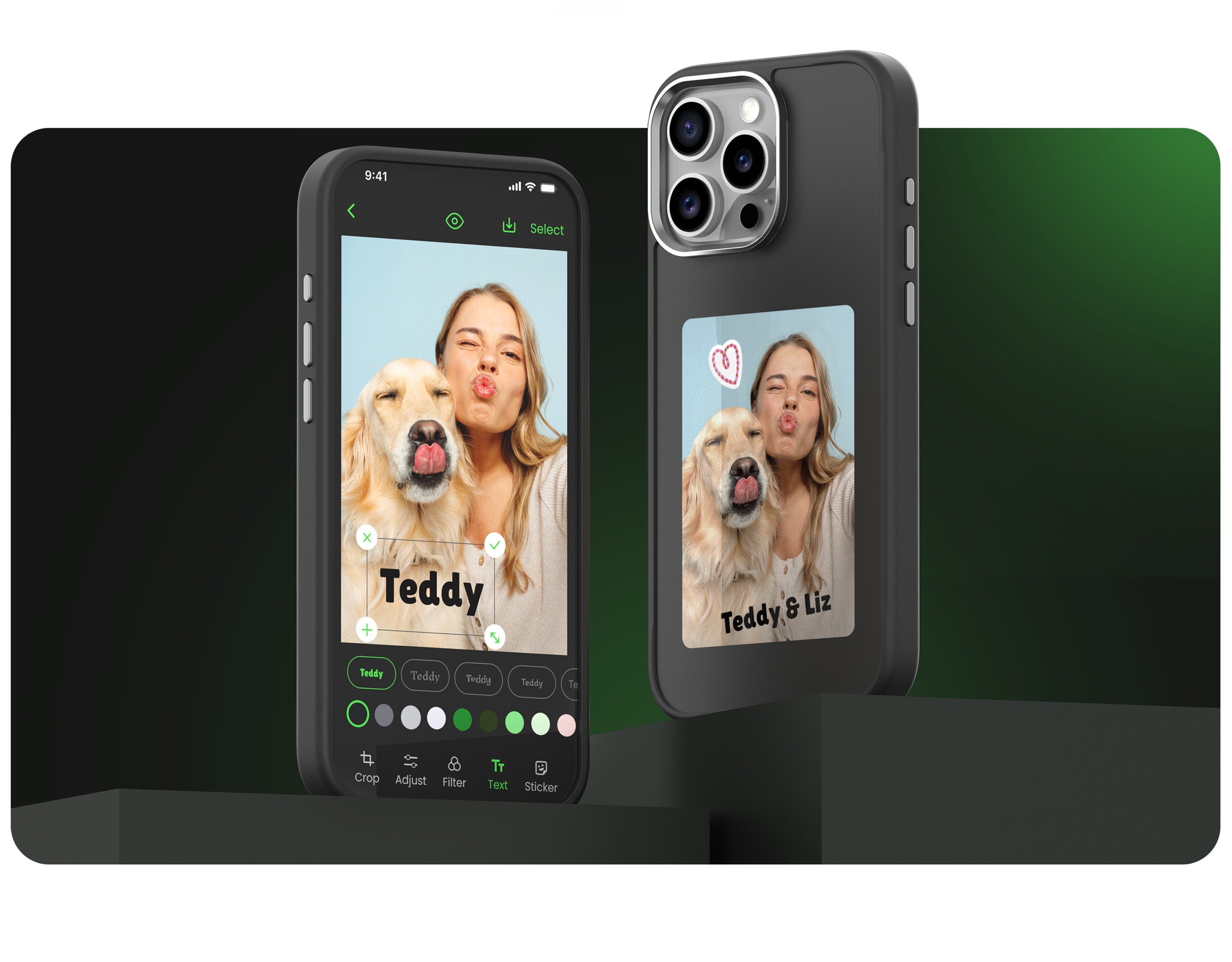
Mosaic is a phone case that utilizes E-ink technology to display personalized images from the companion app
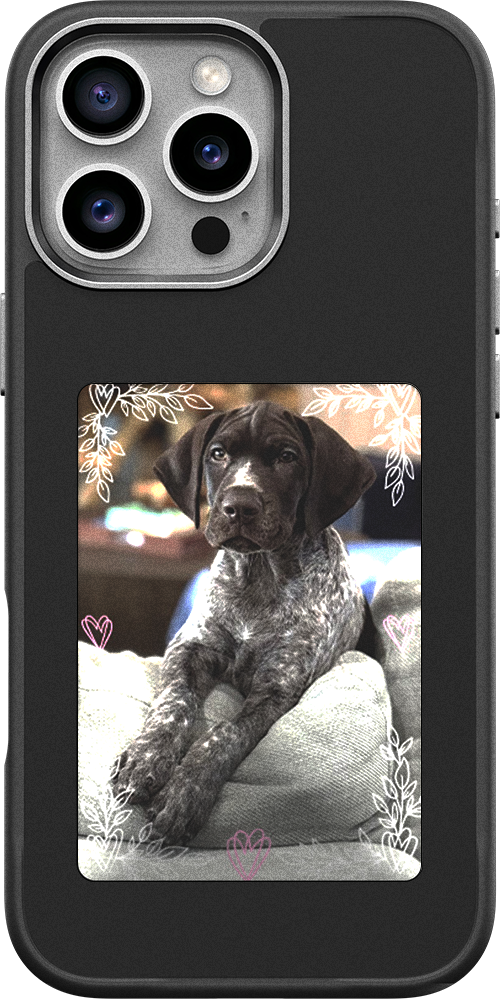
Mosaic E-ink phone case back view
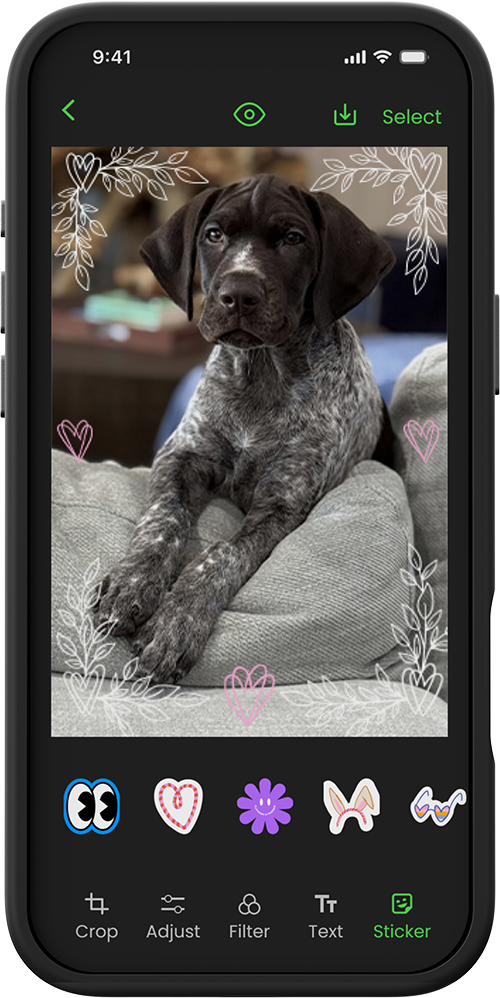
Front view with the companion app
Overview
Mosaic is a companion app for a phone case with E-ink display that enables users to personalize their case. As a lead designer, I led the end-to-end product design to create a companion mobile app that allows users to effortlessly pair their device, edit photos, and sync their visual stories.
Key Design Challenges
Seamless Onboarding and Pairing
We set our target audience as middle-aged Target & Walmart shoppers. From the Walmart shopper's point of view, I thought providing a frictionless onboarding and pairing flow was critical. If setup feels complicated, users abandon before experiencing Mosaic's value.
Design with Constraints
Designed within the technical constraints of a pre-built developer template, balancing creative vision with engineering realities.
Timeline
User Research
Conducted five interviews with co-workers using qualitative and quantitative questions. It would've been ideal to interview Target and Walmart shoppers, but with limited time constraints, I decided to interview internally, and I made sure they were not part of the development team. I wanted to understand shopping behaviors, users' expectations when they first encounter an E-ink phone case, and the possible pain points they might encounter.
Key Findings
- ·Users change phone cases every 4–6 months; interest in more frequent switching if affordable.
- ·2 of 5 participants use photo editing apps beyond social media.
- ·Desire for a pre-loaded stock image library.
- ·App installation viewed as overwhelming, requiring intuitive onboarding.
- ·Users prioritize ease and seamless case-to-app pairing.
- ·Preference for importing photos directly from social media and editing apps.
Goals & Solutions
- ·Custom design solution
- ·Enhance accessibility
- ·Pre-loaded stock images
- ·Seamless onboarding process
- ·Engaging image editing features
Persona

Emily Jones
Age: 34
Occupation: Marketing Coordinator
Household: Lives with her husband and their 4-year-old golden retriever, "Teddy"
Tech Comfort: Confident using social media & photo apps but prefers straightforward interfaces
Shopping Behavior: Frequently shops at Walmart for convenience and affordability
Lifestyle: Expressive, trend-aware, values personalization and aesthetics
Scenario
Emily just got a new phone and bought the Mosaic customizable E-ink case from Walmart. She wants to display a cute photo of her dog Teddy for the holiday season. She opens the Mosaic app expecting it to work like Instagram or Canva. She uploads a photo, adds a simple text overlay "Teddy". Ideally, she expects to do this in under 5 minutes.
Behaviors
- ·She likes to share and show off her recent vacations to friends and coworkers
- ·Regularly refresh the look of her phone case to match her mood, outfit, or season.
Assumptions
- ·She is willing to try a new tech product if it enhances her self-expression
- ·She prefers simplicity over customization depth
- ·She may abandon the experience if the setup process takes too long
- ·She values guidance: tooltips, and ready-to-use templates
- ·Likely to share and recommend the product on social media if positive
Frustrations
- ·Gets overwhelmed when tech products are complex or require setup steps
- ·Finds traditional phone case buying limiting: only pre-designed looks
Goals
- ·Show personality through digital and physical accessories
User Journey
Stages
High-leveltouchpoints
- Sees Mosaic case in the store, a display featuring the case and a "try me" model
- Sees Mosaic ad online
- She buys it and opens the packaging
- She downloads the Mosaic app
- She pairs the case to the phone
- She chooses a photo and tries sending it to the case
- She takes a look at the image editing features
- She frequently updates the case screen
- She creates several layouts with her favorite photos using photo editing features such as templates, stickers and texts
Useremotionaljourney
Curious & excited 🙂
Cautious (tech concern) 🤔
Delighted, validated 😄
Empowered, proud 😍
Examplequotes
This would be so cute with Teddy!
Now I can show off my recent vacation photos
Hope this isn't complicated…
Do I really have to download an app for a phone case?
I'll try putting up Teddy's photo first
I'll try a quick photo edit
I can't wait to swap out the looks whenever I take new pictures!
EmotionalCurve
User Flow
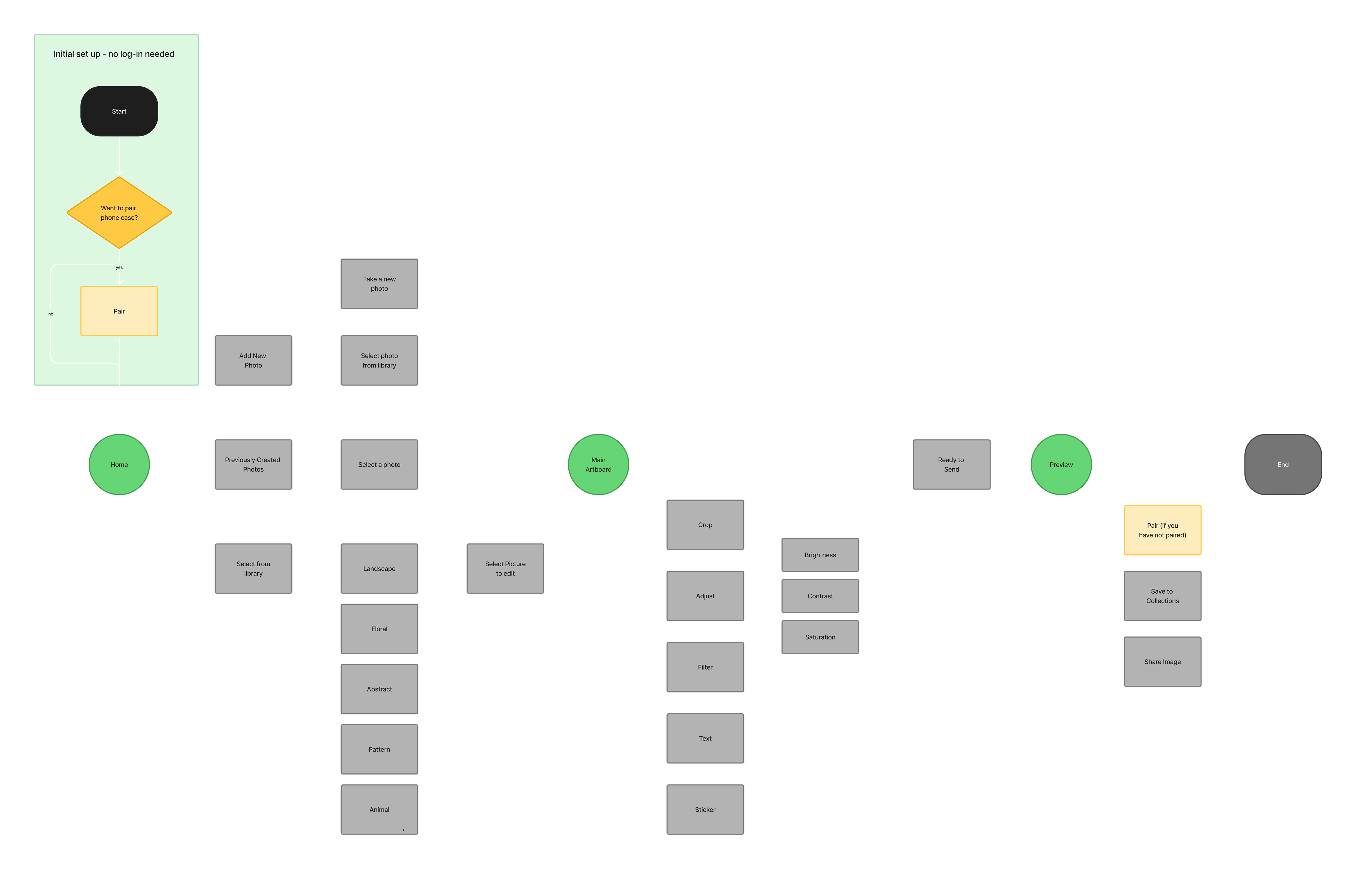
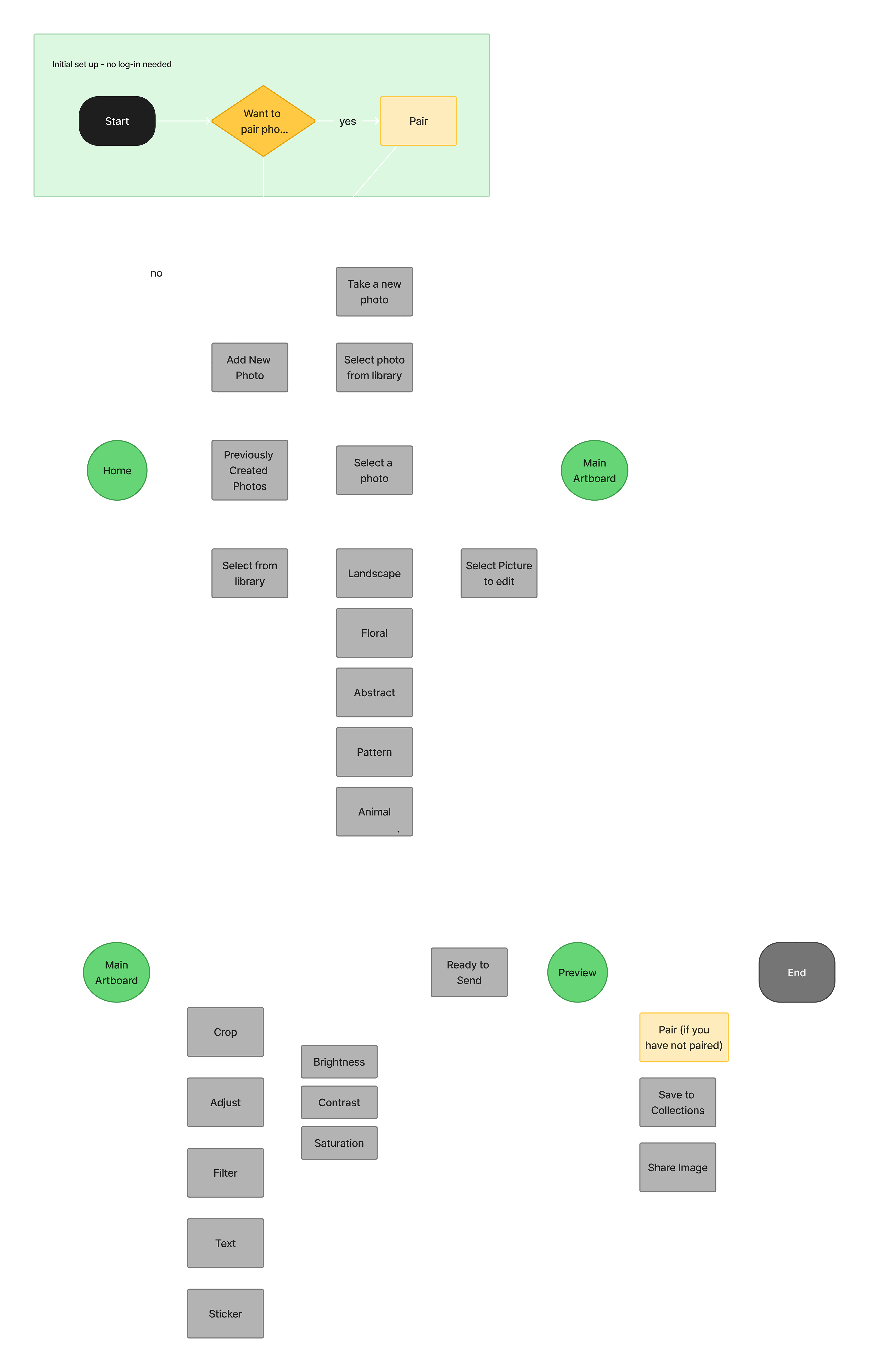
I mapped the user flow to architect the app's core structure, ensuring a frictionless journey from the initial device pairing to the final E-ink sync.
Low Fidelity Wireframes
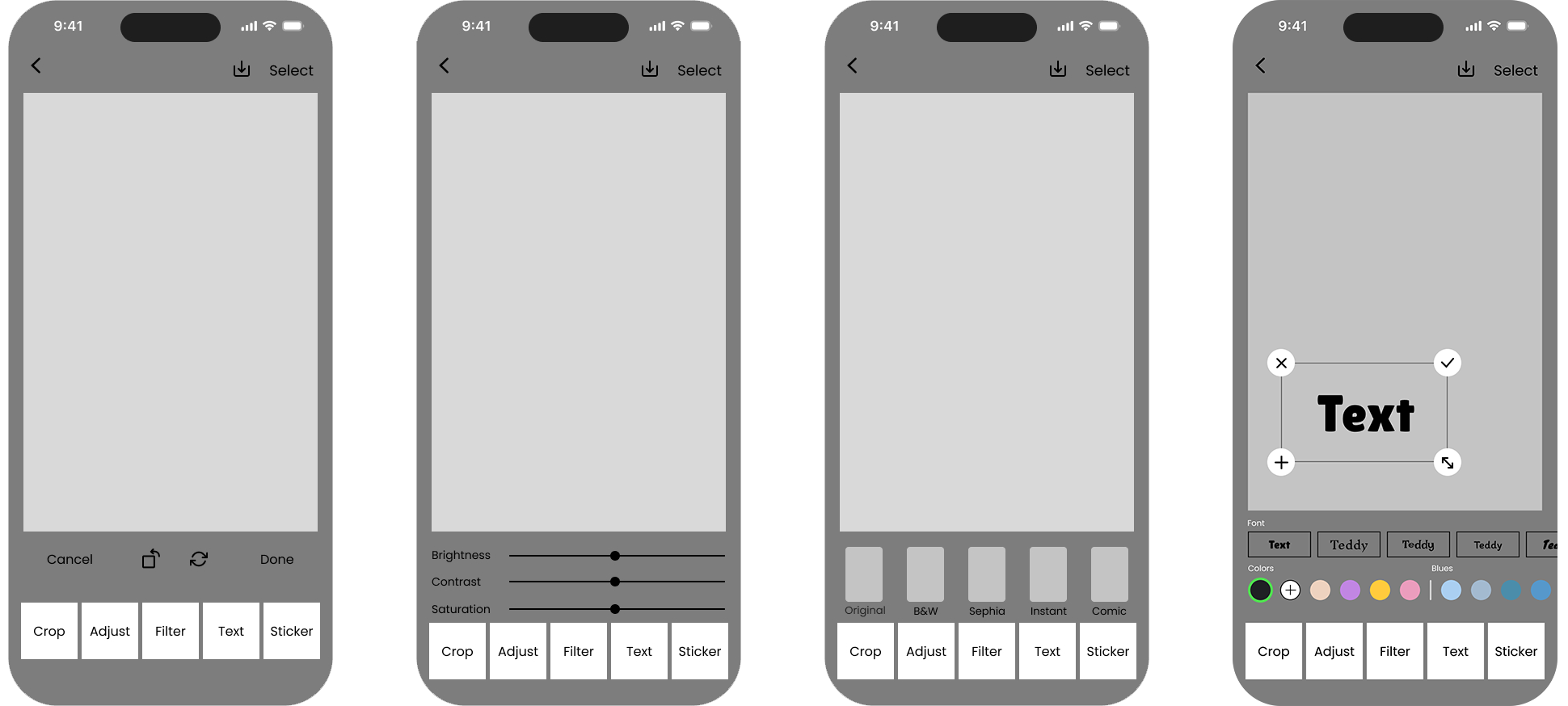
Low-fidelity prototyping allowed me to validate the app's skeleton and navigational flow early in the process. By gathering feedback on the architecture, I was able to prioritize essential features and rapidly iterate on the text-editing experience to ensure it felt intuitive.
Image Editing Features
Pairing Options — Onboarding
Pairing Options — Send & Complete
Key Insight
During internal reviews, it became clear that the physical constraints of the E-ink display clashed with the high-fidelity reality of mobile screens. To prevent a disjointed user experience, the digital interface needed to accurately communicate the hardware's limitations.
Problem
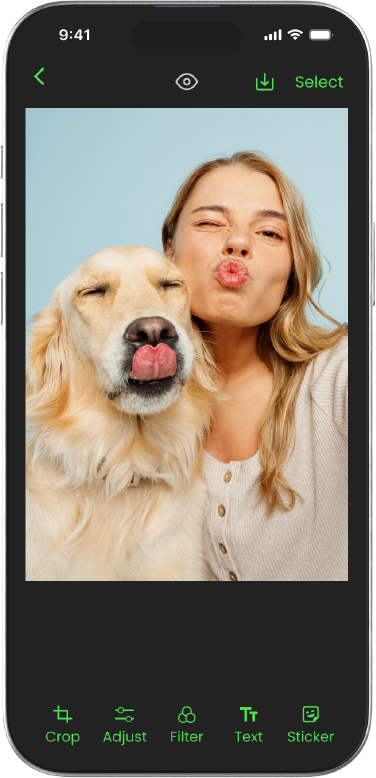
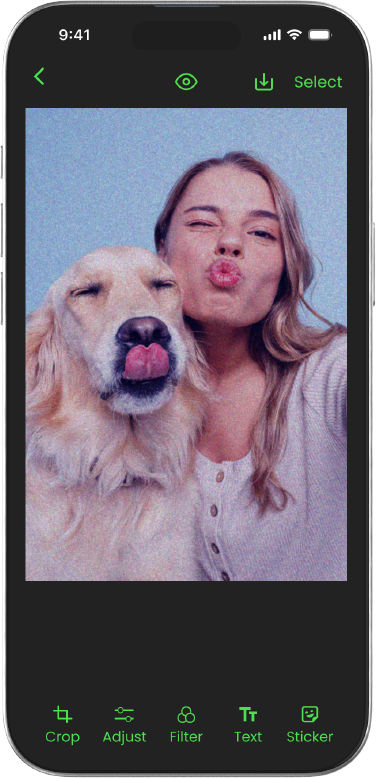
The physical E-ink case lacks blue tones and cannot match the vibrancy of a modern phone screen. This creates a frustrating disparity between what the user edits in the app and what actually appears on the case.
Solution
I engineered a dedicated preview state that renders a precisely dithered, color-constrained version of the user's artwork. This bridges the gap between screen and case, setting accurate visual expectations before the image is synced.
Preview OFF
Preview ON
UI Development
With the low-fidelity structure validated, I moved on to high-fidelity UI development, translating wireframes into a polished visual system. I went through iterations of UI options to find the most intuitive interfaces for the home dashboard, the Stock Library, My Collection, and image editing feature pages. I've also created a new brand identity for Mosaic and a design system for it as well.
Option 1
Selected
Option 3
Option 4
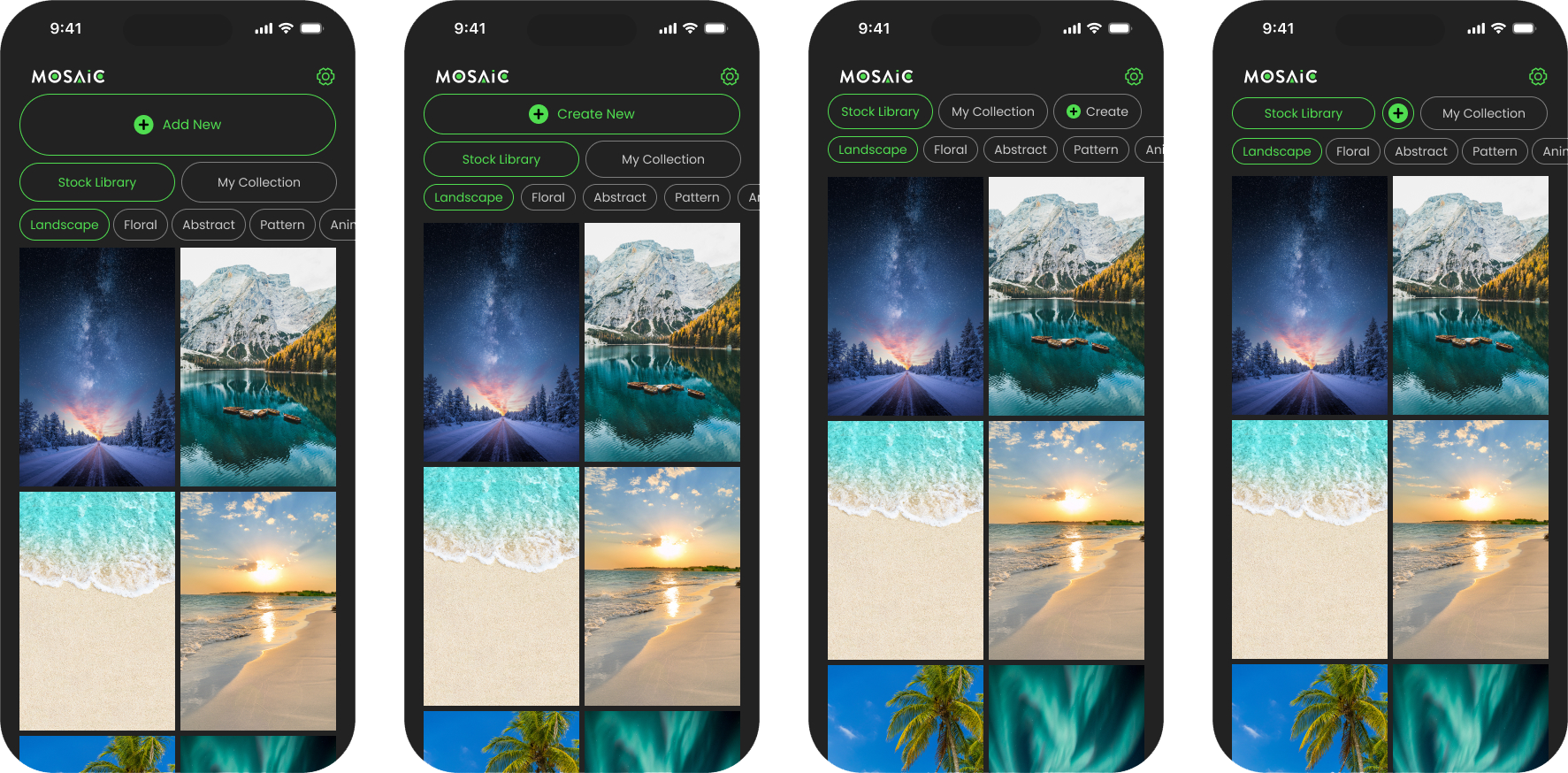
Product Features
Pairing
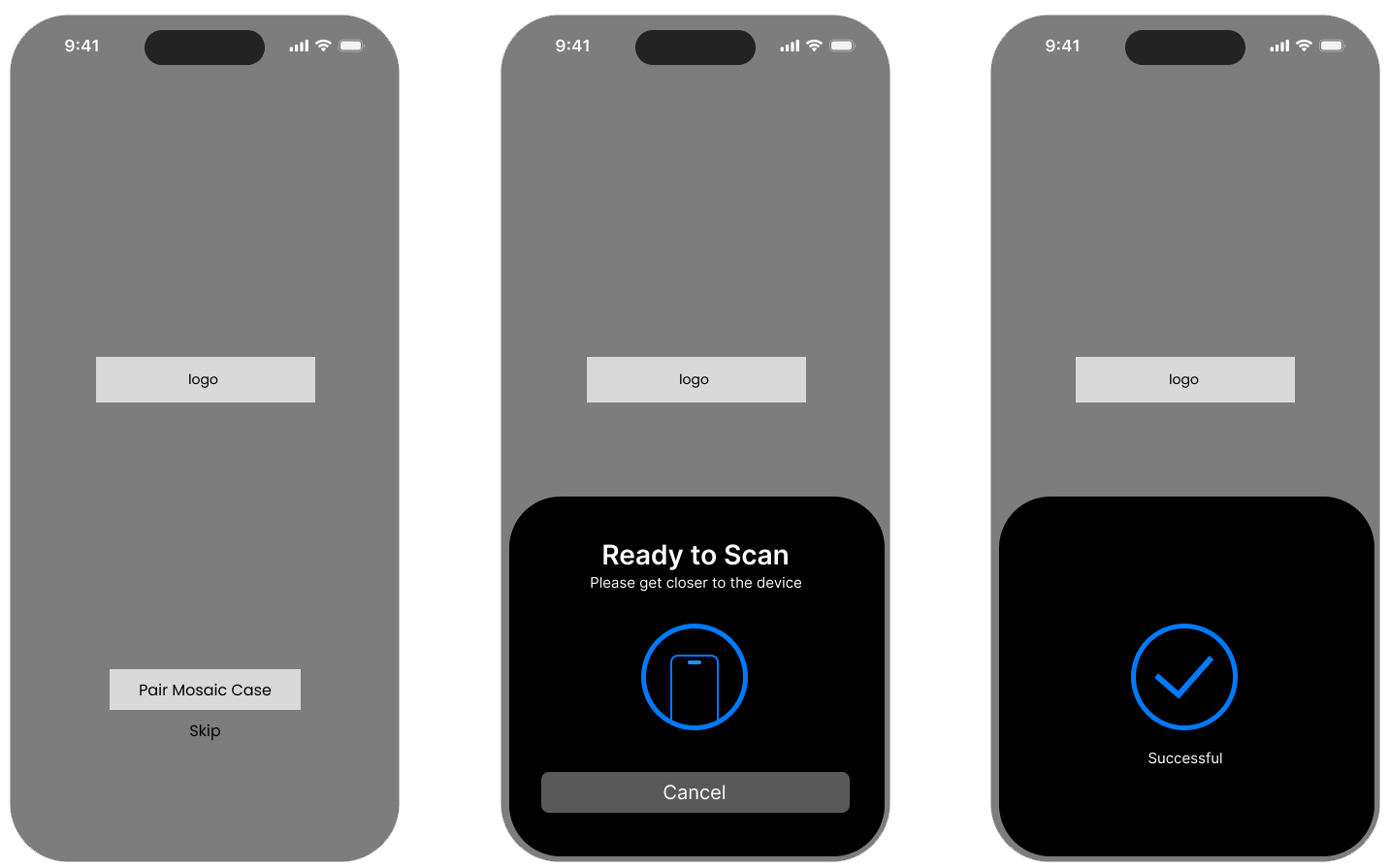
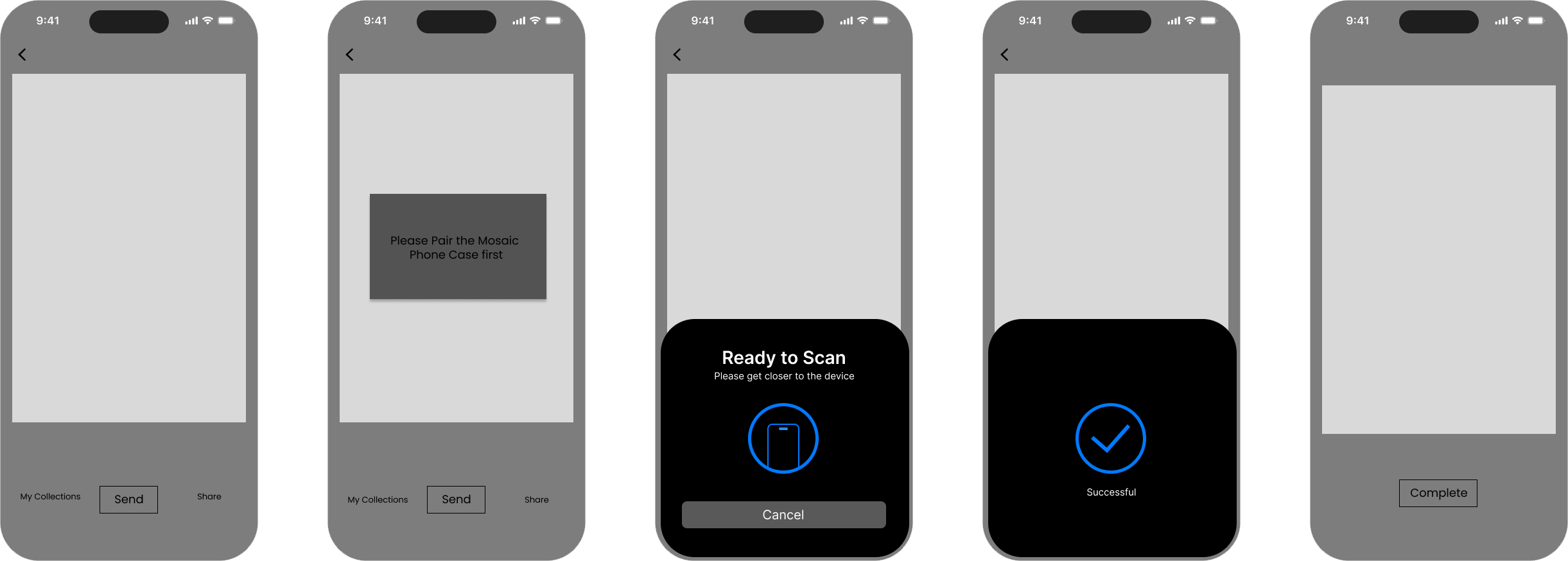
I designed an omnipresent pairing system. Users can seamlessly connect the case the moment they snap it on, navigate through settings, or initiate the handshake right before casting their first image. The technology adapts to their natural workflow, completely eliminating setup fatigue.
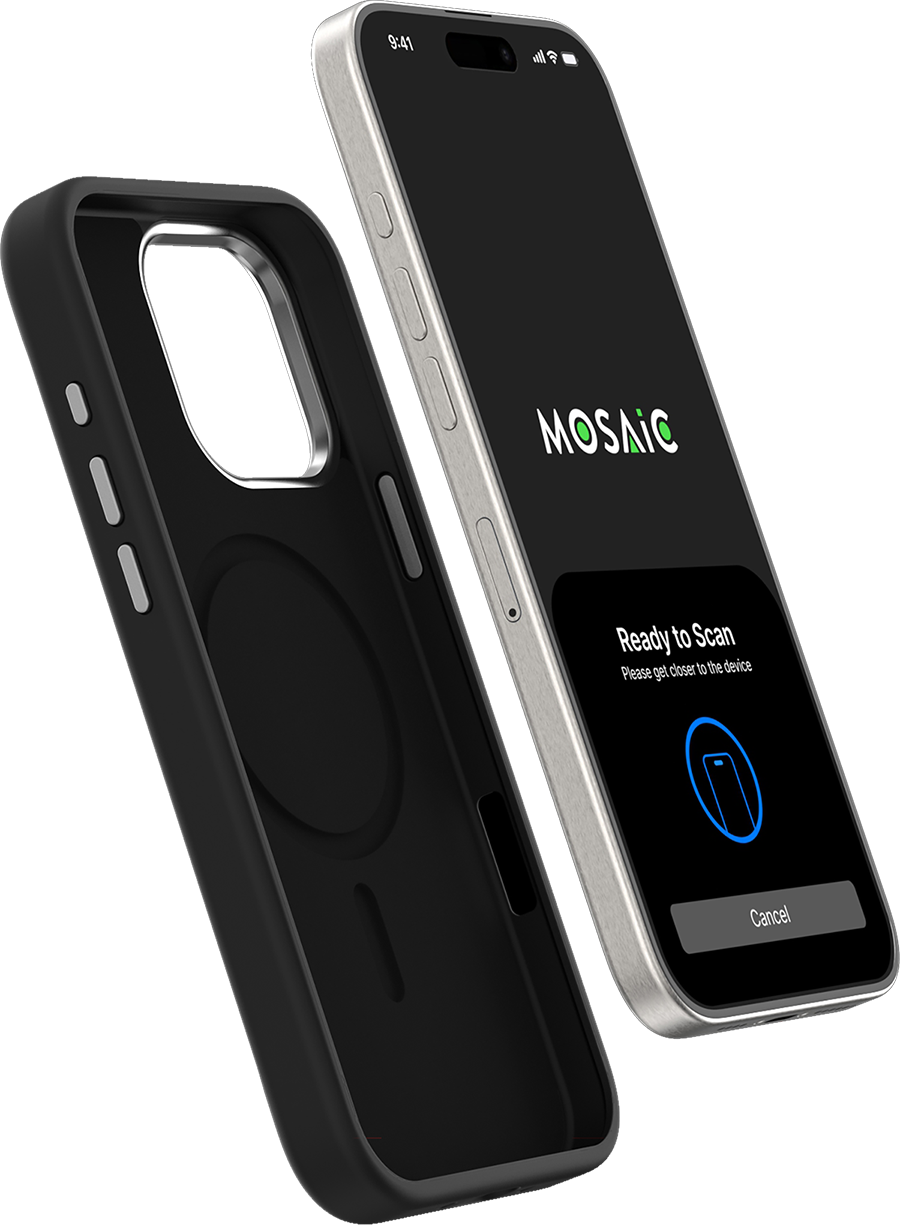
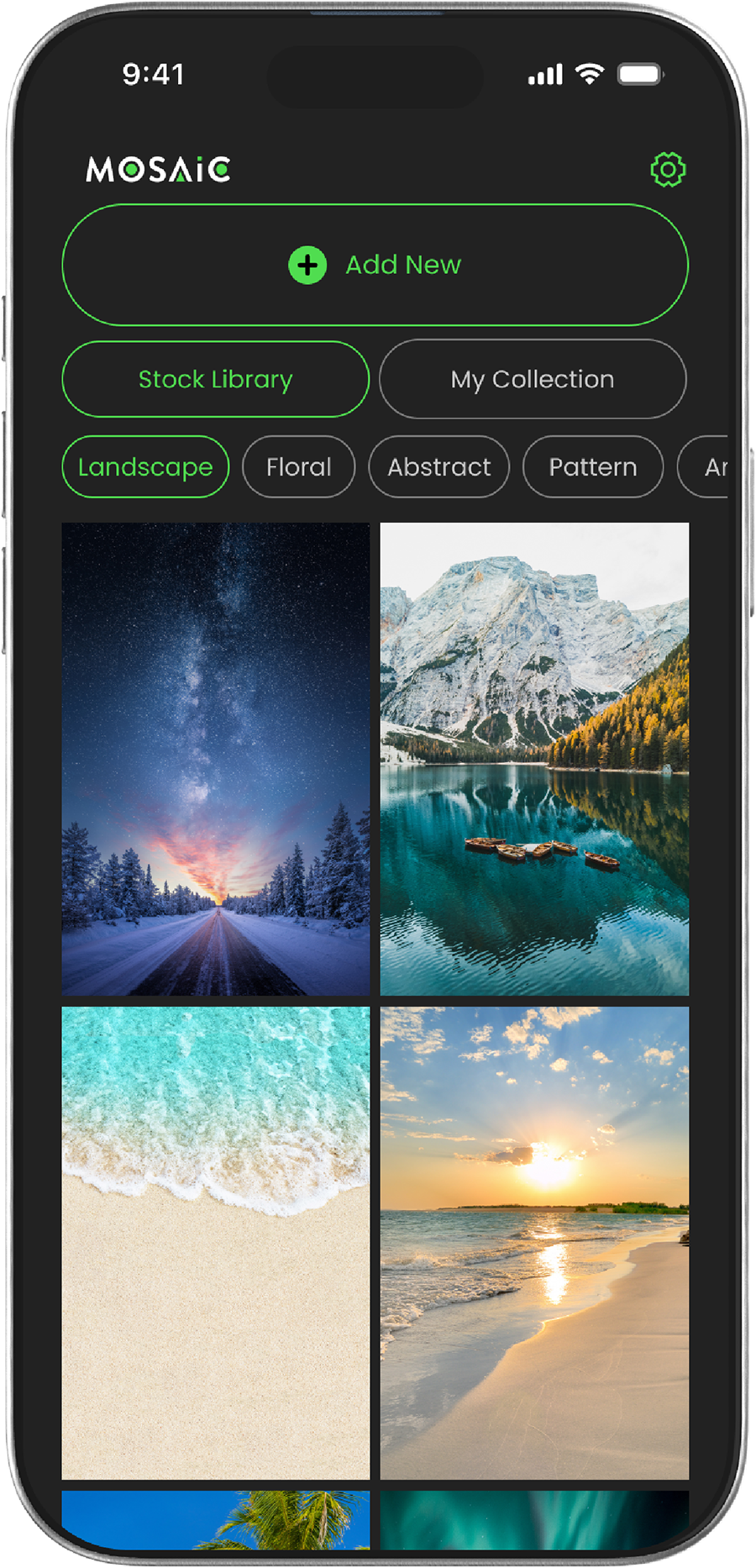
Stock Photo Library
A curated stock photo library allows users to easily browse and swap images within collections.
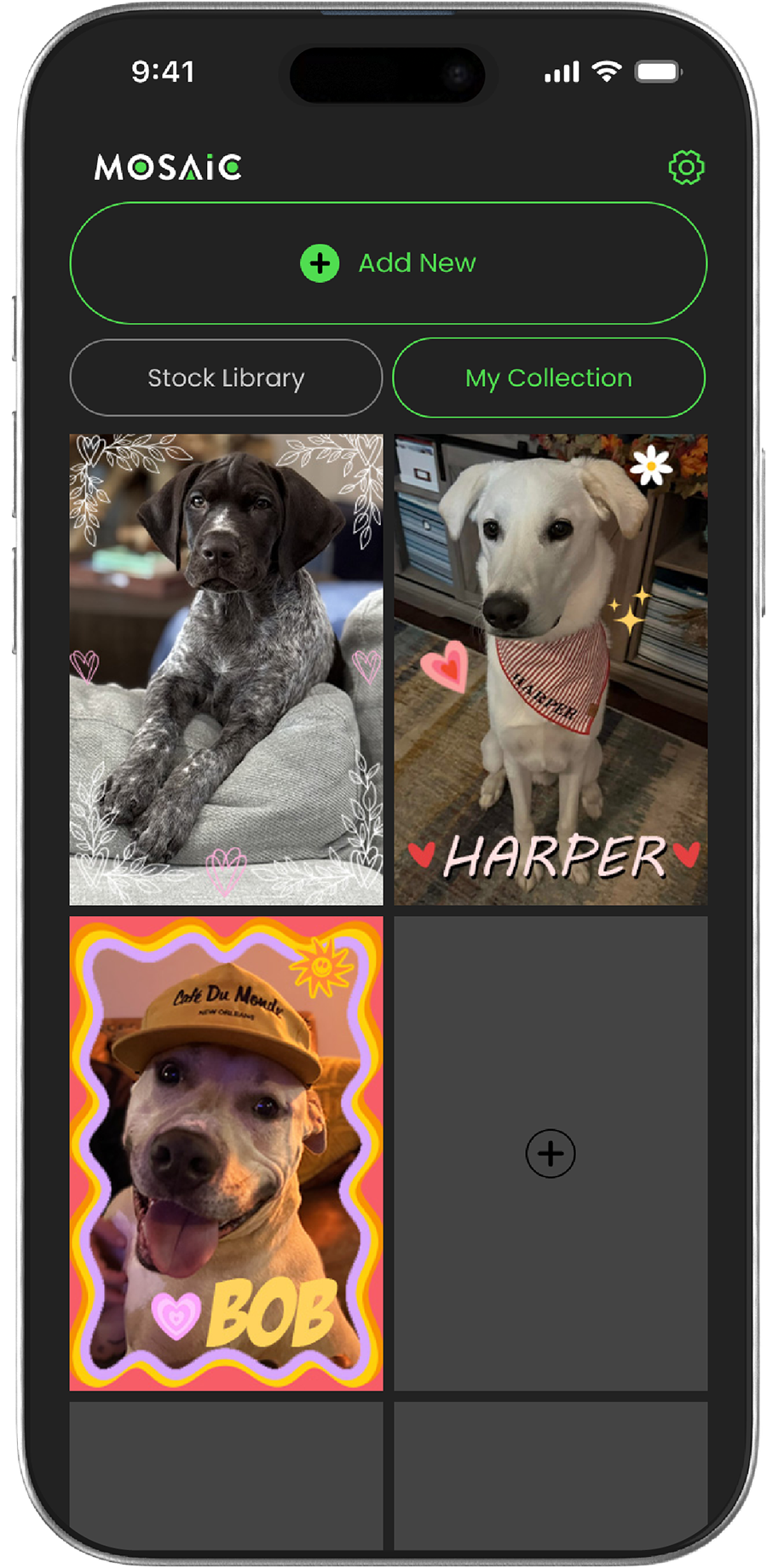
My Collection
My Collection tab lets users see a library of previously created images or collages.
Features
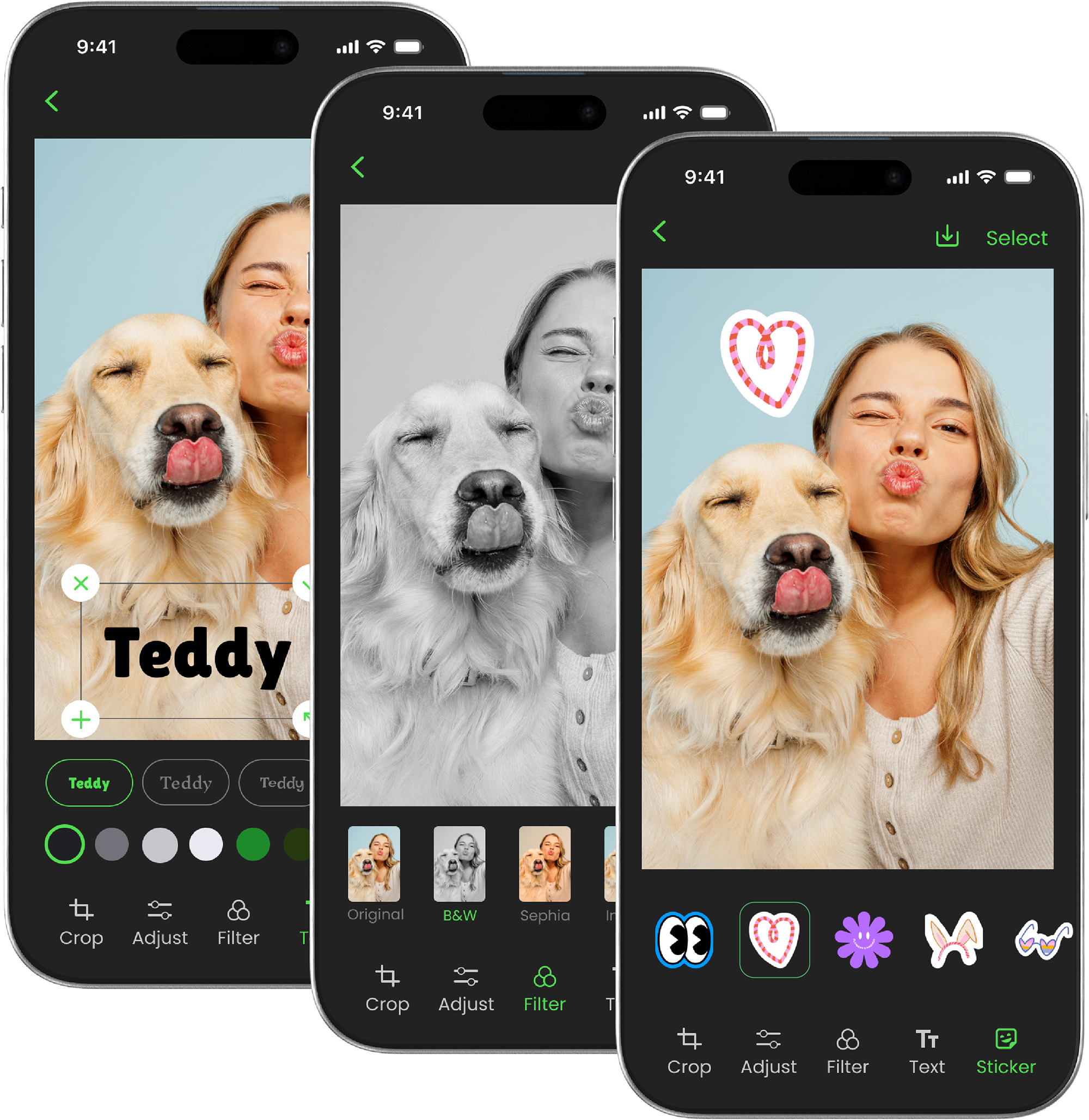
Photo editing features and other features like filters and stickers were created for customization.
Outcome
Impact
2026
Launch Timeline
2
Enterprise Retailers Pitched
Pitched to 2 enterprise retailers and received great feedback. Currently under development targeting a 2026 product launch.
We have developed additional product lines under the new "Mosaic" brand, providing further customizable solutions beyond the original E-ink phone case.
Next Steps
Post-launch intentions include gathering real user metrics, analyzing user interaction data, identifying pain points and drop-off moments, and iterating based on customer feedback and analytics.