
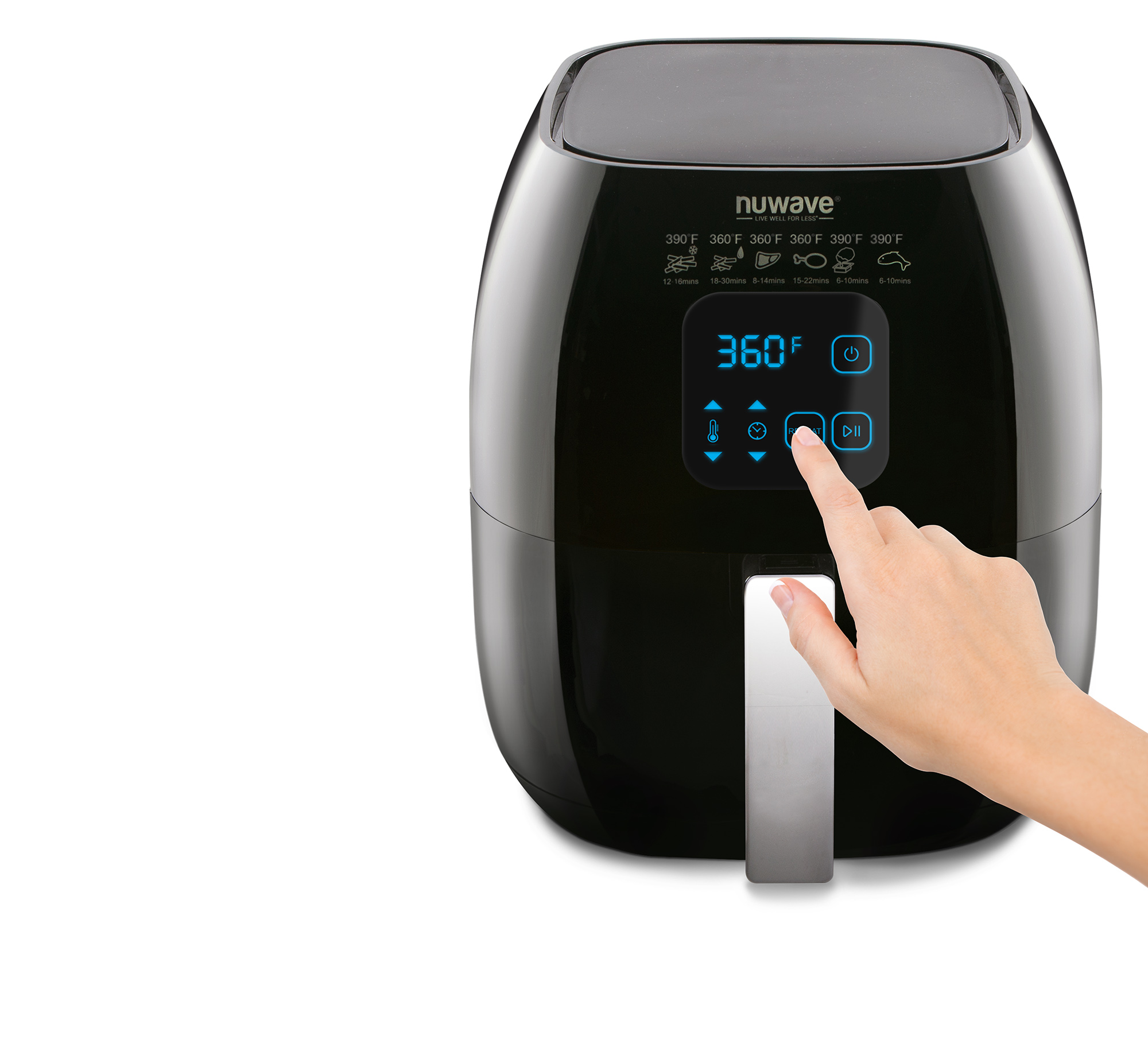
Air Fryer UI
Role
Industrial Designer
Collaborators
Mechanical Engineer
Project Engineer
Marketing Manager
Company
Nuwave
Duration
3 Months
Designing an intuitive interface that ensures a seamless and effortless cooking experience

Overview
The goal of this project was to design an intuitive and user-friendly air fryer control interface that ensures a seamless and effortless cooking experience. The interface was designed with accessibility and simplicity in mind, catering to busy households who need quick, reliable controls without a steep learning curve.
User Research
Demographic data drawn from customer registries revealed a clear picture of the primary air fryer user base, directly informing decisions around simplicity, safety, and family-friendly features.
%68%
Women
%57%
Ages 30–50
%72%
Has children
%65%
Employed full or part-time
Key Findings
- ·Primary users are working parents aged 30–50 who prioritize convenience.
- ·Most users skip instruction manuals — interfaces must be self-explanatory.
- ·Childproof features are a strong safety priority for households with children.
- ·Users want quick-start functionality without lengthy setup.
- ·Simple, minimal controls reduce friction during meal preparation.
Goals & Solutions
- ·Intuitive, self-explanatory controls
- ·Quick-start single-press interactions
- ·Reheat functionality for convenience
- ·Dual-button childproof lock
- ·Clear cooking status indication
Persona

Mary Mangold
Age 49 · Marketing Manager · Married, 2 children
About
- ·Cooks daily with a focus on nutrition
- ·Frequently purchases kitchen gadgets
- ·Skips instruction manuals
- ·Balances full-time work and family life
Goals
- ·More quality family time
- ·Meet personal fitness targets
- ·Save time during meal prep
- ·Reliable, easy-to-use kitchen tools
Device Preferences
- ·Desktop
- ·Mobile
- ·Social media
Needs
- ·Quick-start functionality
- ·Childproofing controls
- ·Simple, clear navigation
Ideation
Early ideation focused on sketching the core interface layout and breaking down the screen into functional zones — controls, status indicators, and safety features.
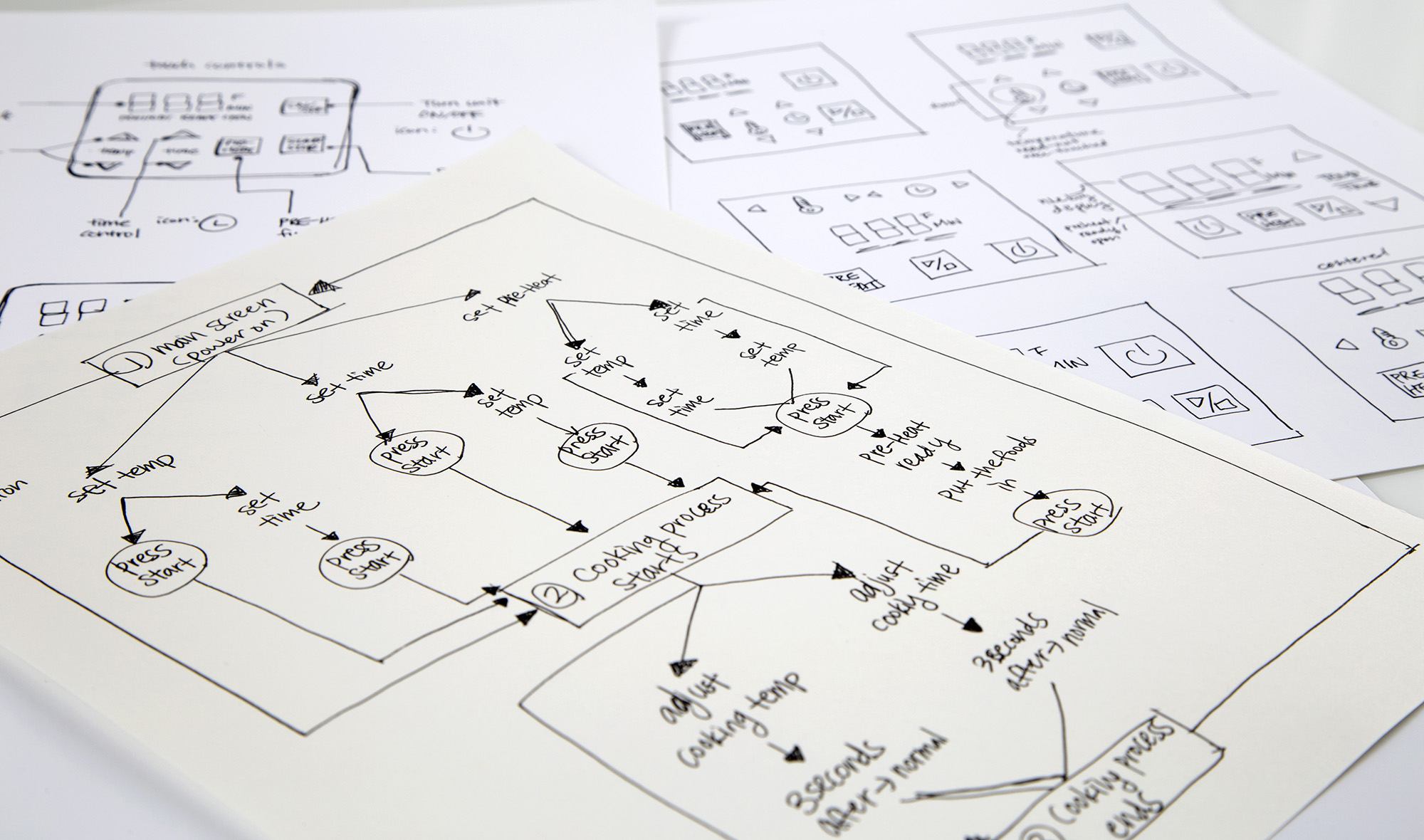
User Flow
Mapping the user flow ensured every interaction — from powering on to completing a cook cycle — was logical and required minimal steps.
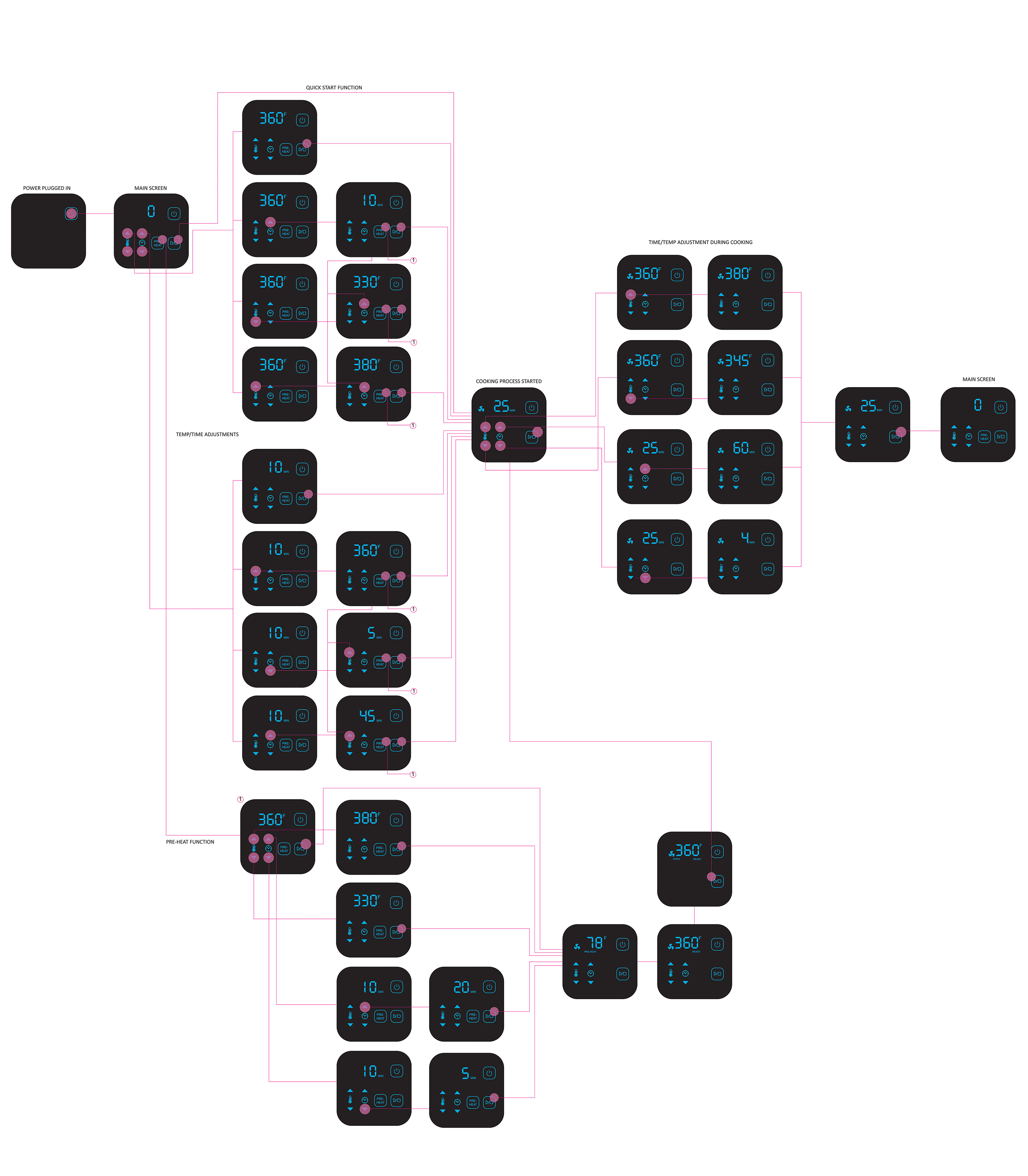
Interface Design
Time & Temperature Controls
Single-press interactions adjust time and temperature quickly. Continuous press enables rapid value changes, giving users fine control without navigating menus.

Single Press

Continuous Press
Cooking Indication
Clear visual feedback communicates the current cooking state at a glance, reducing the need to monitor the appliance closely during use.
Reheat Function
A dedicated reheat button adds 5 minutes at 400°F with a single press — designed for the common use case of warming leftovers without manual input.

Childproof Lock
A dual-button activation system prevents accidental operation by children, requiring a deliberate two-button press to engage or disengage the lock.
Outcome
Impact
1M+
Units Sold
Costco · Best Buy · Walmart
Major Retailers
The air fryer interface shipped to over 1 million units, with customers consistently praising how easy the controls are to use.
A recurring theme in customer reviews: “Love the quick start and quick reheat functions.”